 Pizza Edition
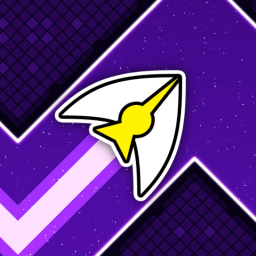
Space Waves Pizza Edition
More Pizza Edition Games!
View all →
Crazy Cars
— (2 votes)
Star Fling
— (4 votes)
Snow Rider 3D
— (1 vote)
Moto X3M 3
— (2 votes)
Drift Hunters
— (2 votes)
A Small World Cup
— (4 votes)
Block Blast
— (2 votes)
Golf Orbit
— (2 votes)
Escape Road
— (4 votes)
Tunnel Rush
New
BitLife
New
Race Survival
— (1 vote)
Crossy Road
New
Core Ball
New
Speed Stars
New
Wave Rider
— (1 vote)
Super Star Car
New
Tomb of the Mask
New
Stunt Bike Extreme
New
Ragdoll Archers
New
Retro Bowl
— (1 vote)
Level Devil
New
Kick The Buddy
New
Moto X3M
New
Tag
New
Unicycle Hero
New
Stickman Hook
New
Monkey Mart
New
Eggy Car
New
Drift Boss
New


What is Space Waves?
Space Waves distils an arcade runner down to a single input. Hold to climb at a fixed angle, release to descend at the same angle, and that is the entire control scheme — everything else is your ability to read the corridor ahead and commit to a line through it. Levels come in easy, normal, and hard tiers, and a practice mode adds checkpoints so you can drill the section that keeps ending your run rather than replaying from the start each time.
Features of Space Waves Pizza Edition
- Single-input control: hold to rise, release to fall
- Spiked corridors that demand precise, committed lines
- Easy, normal, and hard difficulty tiers
- Practice mode with checkpoints for drilling hard sections
- Instant restarts that keep the pace relentless
- Plays in the browser on desktop or mobile
How to Play Space Waves
Hold the mouse button, spacebar, or screen to rise and release to fall. Because your climb and descent angles are fixed, navigating a tight corridor is about rhythm — a series of short taps holds you roughly level, while longer holds and releases produce the bigger zigzags needed for steep sections. Look several segments ahead rather than at your ship, and when a section keeps beating you, switch to practice mode and use the checkpoints to learn its pattern before returning to a full run.
Tips and Tricks for Space Waves Pizza Edition
- Look ahead down the corridor, not at your own ship
- Rapid short taps keep you almost level through narrow gaps
- Use practice mode with checkpoints to drill the section that kills you
- Learn each level's pattern — success is memory as much as reflex
- Stay near the middle of open stretches to keep both options available
- Clear easy and normal tiers first to build the muscle memory for hard
FAQs: Space Waves Pizza Edition
Yes, Space Waves is free to play on Pizza Edition with no download, installation, or account required.
One input does everything. Hold the mouse button, spacebar, or tap and hold the screen to rise, and release to fall.
Practice mode adds checkpoints through a level so you can restart from partway in. It is the fastest way to learn a difficult section without replaying everything before it.
Levels are grouped into easy, normal, and hard tiers, letting you build up your timing before taking on the most demanding corridors.
Yes. The single tap-and-hold input works naturally on a touchscreen, so it plays well on phones and tablets as well as desktop.
Treat it as a memory game rather than a reaction game. Use practice mode to learn a level's layout, and your timing will follow once you know what is coming.